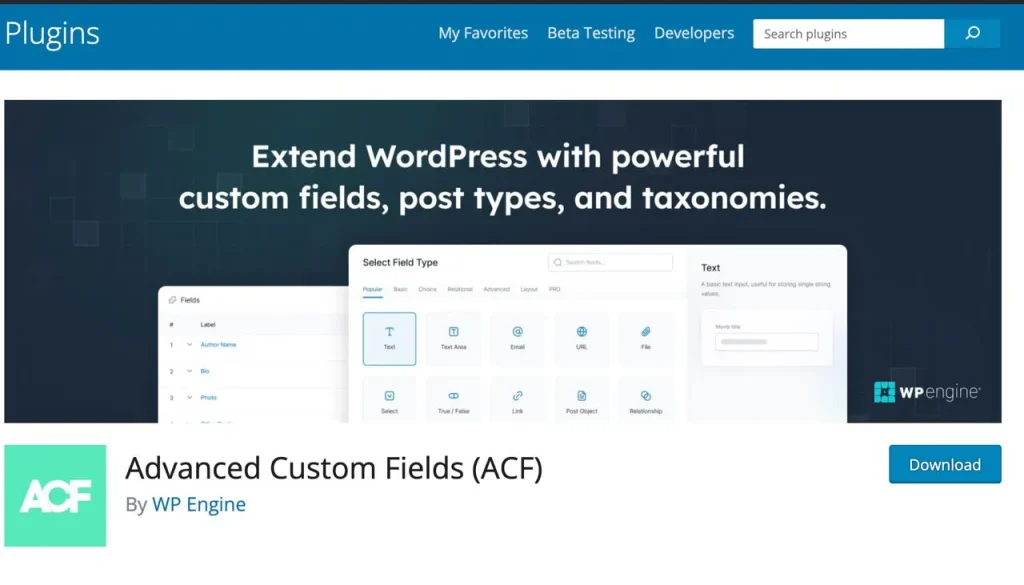
Advanced Custom Fields (ACF) is a powerful WordPress plugin that allows you to add custom fields to your WordPress pages, posts, and custom post types. With ACF, you can create custom field groups and assign them to specific parts of your WordPress site, giving you greater control over your content and layout.
Pros
- Flexibility: Create a wide range of custom fields, including text, images, and file uploads.
- Easy to use: User-friendly interface makes it simple to create and manage custom fields.
- Integrates with page builders: Works seamlessly with popular page builders like Elementor and Beaver Builder.
- Free and premium versions: Choose between the free version with basic features or the premium version with advanced functionality.
Cons
- Learning curve: Requires some time and effort to understand how to use effectively.
- Requires coding knowledge: Displaying custom fields on the front end requires modifying theme template files using PHP.
- Can slow down your website: Creating too many custom fields can impact site speed and performance.
Overview
ACF is a must-have WordPress plugin for anyone looking to add custom data to their WordPress website. Its flexibility and ease of use make it a popular choice among WordPress site owners. While there is a learning curve involved, particularly when it comes to displaying custom fields on the front end, the benefits of using ACF far outweigh the drawbacks. With ACF, you can create a truly custom solution that stands out from the crowd and better serves your users’ needs.
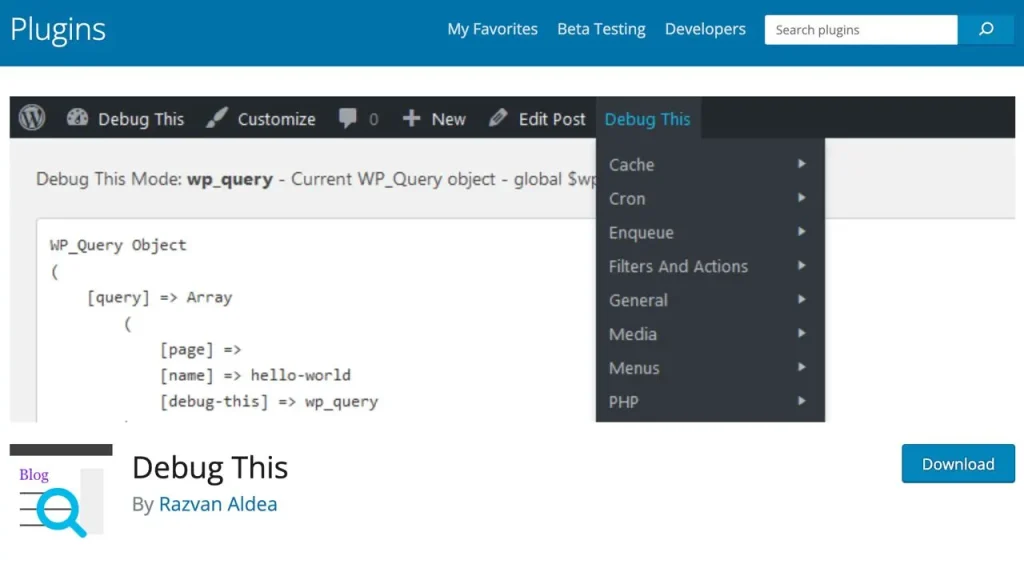
Debug This is a handy plugin for WordPress that makes it easy to troubleshoot and debug your site. With Debug This, you can quickly access important debugging information and tools directly from your WordPress dashboard, saving you time and effort when trying to identify and fix issues.
Pros
- Easy to use: Debug This adds a new menu item to your WordPress dashboard, making it easy to access debugging tools and information with just a few clicks.
- Comprehensive debugging information: Debug This provides a wide range of debugging information, including PHP and WordPress constants, server information, and active plugins and themes.
- Troubleshooting tools: Debug This includes several troubleshooting tools, such as the ability to enable or disable plugins and switch WordPress themes, making it easier to identify and fix issues with your WordPress project.
- Free plugin: Debug This is a free plugin available in the WordPress plugin repository, making it accessible to all WP users.
Cons
- Limited features: While Debug This provides a lot of useful debugging information and tools, it may not have all the features that more advanced developers need.
- Not a comprehensive solution: Debug This is a helpful tool for troubleshooting and debugging, but it’s not a comprehensive solution for all WordPress issues. Some problems may require more advanced tools or expertise to resolve.
Overview
Debug This is a useful plugin for WordPress that can help you quickly troubleshoot and debug issues with your site on WP. With its easy-to-use interface and comprehensive debugging information, Debug This is a valuable tool for any WordPress developers looking to identify and fix problems with their site.
While Debug This may not have all the advanced features that some developers need, it’s still a helpful tool for troubleshooting common issues and getting a better understanding of your site’s configuration and performance. And as a free plugin available in the WordPress plugin repository, it’s accessible to all users, regardless of their budget or technical expertise.
Elementor is a trusted WordPress page builder plugin that allows you to create stunning, custom designs without needing to know how to code. With its drag-and-drop interface and extensive library of templates and widgets, Elementor makes it easy to create professional-looking pages and posts that stand out from the crowd.

Pros
- Easy to use: Elementor’s drag-and-drop interface makes it easy to create custom layouts and designs, even if you have no coding experience.
- Extensive template library: Elementor offers a wide range of pre-designed templates and blocks that you can use as a starting point for your designs, saving you time and effort.
- Responsive design: Elementor’s designs are fully responsive, meaning they look great on desktop, tablet, and mobile devices.
- Integrates with other plugins: Elementor works seamlessly with other popular WP plugins, including WooCommerce, Yoast SEO, and more.
- Free version available: Elementor offers a free version of the plugin with a generous set of features, making it accessible to all WP enthusiasts. We actually consider Elementor to be the best WordPress plugin on the market right now.
Cons
- Can slow down your site: Elementor’s extensive features and functions can sometimes slow down your website, particularly if you’re using a lot of animations or complex layouts.
- Limited customization options: While Elementor offers a lot of customization options, some users may find that they need more advanced features or control over their designs.
- Learning curve: While Elementor is relatively easy to use, there is still a learning curve involved in mastering all of its features and functions.
Overview
Elementor is a must-have plugin for WP users looking to create custom, professional-looking designs the projects. With its user-friendly interface, extensive template library, and responsive design capabilities, Elementor makes it easy to create stunning pages and posts that engage and convert visitors.
While there are some potential drawbacks to using Elementor, such as the potential for slower site speeds and a learning curve for new users, the benefits far outweigh the cons. And with a generous free version available, Elementor is accessible to all, regardless of their budget or technical expertise.
Rank Math is a comprehensive WordPress SEO plugin that helps you optimize your WordPress site for search engines. With its user-friendly interface, advanced features, and extensive integrations, Rank Math is quickly becoming one of the most popular SEO plugins for WordPress.

Pros
- Comprehensive SEO features: Rank Math offers a wide range of SEO features, including keyword optimization, XML sitemaps, schema markup, and more.
- User-friendly interface: Rank Math’s interface is intuitive and easy to use, even for beginners.
- Integrates with other plugins: Rank Math integrates seamlessly with other popular WordPress plugins, including WooCommerce, Easy Digital Downloads, and more.
- Free version available: Rank Math offers a generous free version of the plugin with many advanced features.
- Fast and lightweight: Despite its extensive features, Rank Math is fast and lightweight, minimizing the impact on your site’s speed performance.
Cons
- Learning curve: While Rank Math is user-friendly, there is still a learning curve involved in mastering all of its features and settings.
- Some features locked behind paid version: Some advanced features, such as Schema markup and redirection, are only available in the paid version of the plugin.
- Compatibility issues with some themes: Some users have reported compatibility issues with certain WordPress themes, particularly those with built-in SEO features.
Overview
Rank Math is a must-have plugin for WordPress enthusiasts looking to optimize their site for search engines and improve their search rankings. With its comprehensive set of SEO features, user-friendly interface, and extensive integrations, Rank Math makes it easy to implement SEO best practices.
While there is a learning curve involved in mastering all of Rank Math’s features, the plugin’s generous free version and fast performance make it accessible and practical for all WordPress site owners. And while some advanced features are locked behind the paid version, the free version still offers more than enough functionality for most users.
If you’re looking for a powerful, free WordPress plugin, Rank Math is definitely worth considering. Its extensive feature set, user-friendly interface, and fast performance make it one of the best WordPress plugins for SEO in 2024.
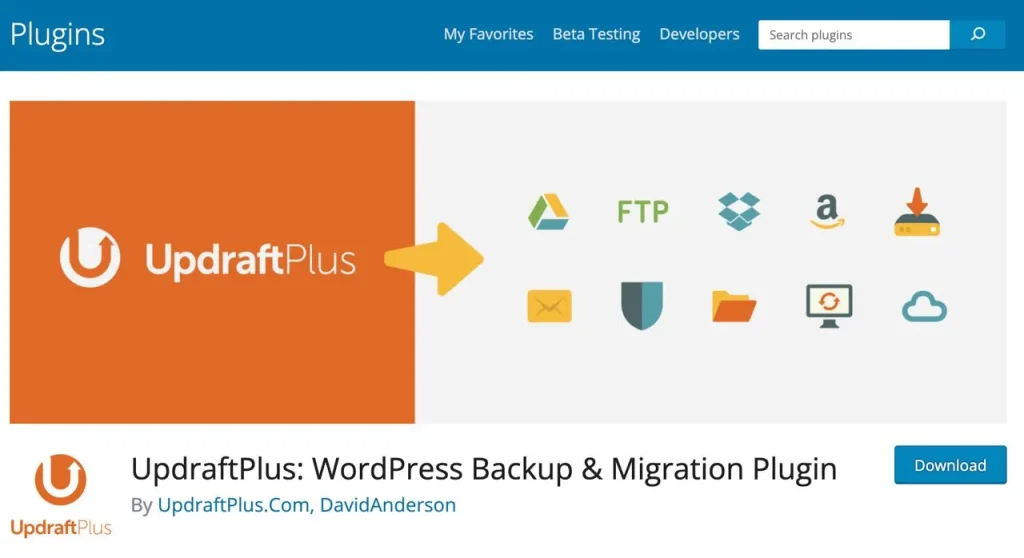
UpdraftPlus is a popular WordPress backup plugin that helps you protect your website by creating regular backups and storing them safely in the cloud or on your local computer. With its user-friendly interface, powerful features, and reliable performance, UpdraftPlus is a must-have plugin for WordPress users looking to safeguard their site against data loss.
Pros
- Automatic backups: UpdraftPlus allows you to schedule automatic backups of your project, ensuring that your data is always protected.
- Multiple storage options: UpdraftPlus supports a wide range of storage options, including Google Drive, Dropbox, Amazon S3, and more, giving you flexibility in where you store your backups.
- Easy restoration process: If you ever need to restore your site from a backup, UpdraftPlus makes the process simple and straightforward.
- Free version available: UpdraftPlus offers a generous free version of the plugin with many essential features, making it accessible to all WP users.
- Reliable and efficient: UpdraftPlus is known for its reliability and efficiency, with many users reporting successful backups and restorations even on large sites on WP.
Cons
- Limited free version: While the free version of UpdraftPlus is generous, some advanced features, such as incremental backups and multisite support, are only available in the paid version.
- Requires storage space: Depending on the size of your website and the frequency of your backups, UpdraftPlus can require a significant amount of storage space, which may incur additional costs if you’re using a paid storage service.
- Complex setup for some users: While UpdraftPlus is generally user-friendly, some users may find the initial setup and configuration process to be complex, particularly if they’re not familiar with WordPress backups.
Overview
UpdraftPlus is an essential plugin for WordPress users looking to protect their site against data loss and ensure the safety of their valuable content and data. With its automatic backup functionality, multiple storage options, and easy restoration process, UpdraftPlus makes it simple to create regular backups of your WordPress site and restore it quickly in case of an emergency.
While the free version of UpdraftPlus is generous, some advanced features are only available in the paid version, which may be a drawback for some users. Additionally, the plugin can require a significant amount of storage space, which may incur additional costs if you’re using a paid storage service.
Overall, if you’re looking for a reliable, efficient, and user-friendly WordPress backup plugin, UpdraftPlus is definitely worth considering. Its powerful features, multiple storage options, and easy restoration process make it one of the outstanding WordPress plugins for backups in 2024.
Ivory Search is a powerful WordPress search plugin that enhances the default search functionality. With its advanced features, customization options, and seamless integration with other WordPress plugins, Ivory Search is a must-have plugin for WordPress content creators looking to improve their site’s search experience.
Pros
- Advanced search features: Ivory Search offers a wide range of advanced search features, including fuzzy search, synonym search, and more, helping users find the content they’re looking for quickly and easily.
- Customizable search forms: Ivory Search allows you to create custom search forms with different fields, filters, and layouts, giving you full control over your site’s search experience.
- Seamless integration: Ivory Search integrates seamlessly with other popular WordPress plugins, including WooCommerce, bbPress, and more, allowing you to extend its functionality even further.
- Free version available: Ivory Search offers a generous free version of the plugin with many essential features, making it accessible to all developers.
- Fast and efficient: Despite its advanced features, Ivory Search is fast and efficient, ensuring that your site’s search functionality remains speedy and responsive.
Cons
- Learning curve: While Ivory Search is generally user-friendly, some users may find the advanced features and customization options to be overwhelming, particularly if they’re not familiar with WordPress search optimization.
- Some features locked behind paid version: Some advanced features, such as the ability to create custom search forms and integrate with other plugins, are only available in the paid version of the plugin.
- May require additional setup: Depending on your site’s specific needs and configuration, Ivory Search may require additional setup and configuration to work optimally, which can be time-consuming for some users.
Overview
Ivory Search is a powerful and flexible WordPress search plugin that offers a wide range of advanced features and customization options to help you improve your site’s search experience. With its integration with other WordPress plugins, fast performance, and generous free version, Ivory Search is a great choice for WordPress platform users
looking to take their site’s search functionality to the next level.
While there is a learning curve involved in mastering all of Ivory Search’s features, and some advanced functionality is locked behind the paid version, the plugin’s user-friendly interface and comprehensive documentation make it accessible to users of all skill levels.
Overall, if you’re looking for a customizable WordPress search plugin to enhance your site’s search experience, Ivory Search is definitely worth considering. Its advanced features, integration, and fast performance make it one of the leading WordPress plugins for search optimization in 2024.
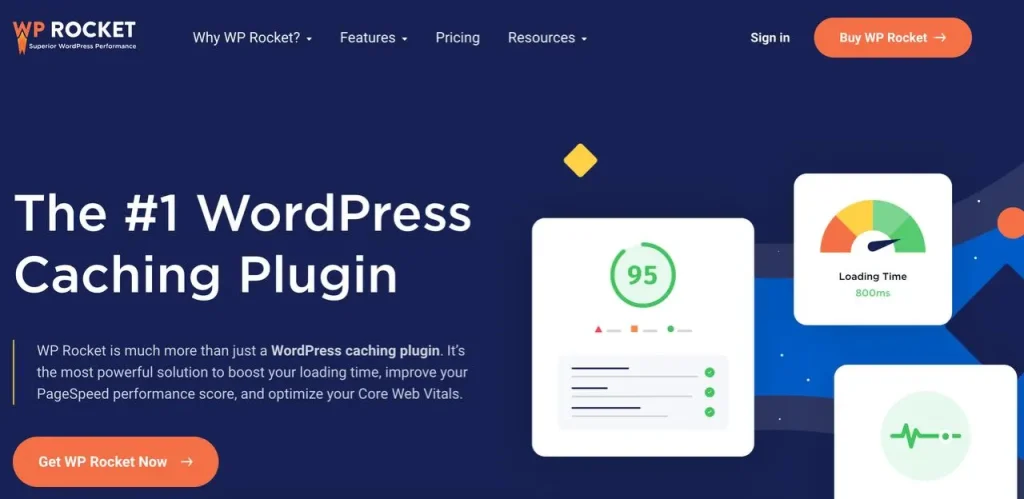
WP-Rocket is a caching plugin for WordPress that helps you speed up your site by optimizing its performance and reducing page load times. With its powerful features, user-friendly interface, and excellent customer support, WP-Rocket is a must-have plugin for WordPress users looking to improve their site’s speed and overall performance.
Pros
- Easy to set up: WP-Rocket is incredibly easy to set up and configure, even for users with little to no technical experience. Simply install the plugin, and it will automatically apply a range of optimization techniques to your site.
- Powerful caching features: WP-Rocket offers a wide range of caching features, including page caching, cache preloading, and more, which can significantly improve your site’s performance and reduce page load times.
- Lazy loading: WP-Rocket’s lazy loading feature ensures that images and videos are only loaded when they are visible on the screen, which can greatly reduce page load times and improve user experience.
- Excellent customer support: WP-Rocket offers excellent customer support, with a knowledgeable and responsive team that is always ready to help users with any issues or questions they may have.
- Regular updates: WP-Rocket is regularly updated with new features, bug fixes, and performance improvements, ensuring that your site always has access to the latest and greatest optimization techniques.
Cons
- Premium plugin: WP-Rocket is a premium WordPress plugin, which means that you’ll need to pay for a license to use it on your site. While the cost is reasonable, it may be a barrier for some users.
- May conflict with other plugins: In some cases, WP-Rocket may conflict with other WordPress plugins, particularly those that also offer caching or optimization features. This can cause issues with your site’s performance and functionality.
- Requires some technical knowledge: While WP-Rocket is generally user-friendly, some of its advanced features and settings may require a bit of technical knowledge to fully understand and configure.
Overview
WP-Rocket is a powerful and user-friendly WordPress caching plugin that can help you significantly speed up your site and improve its performance. With its easy setup process, powerful caching features, and lazy loading functionality, WP-Rocket is a great choice for WordPress site owners looking to optimize their site’s speed and performance.
While WP-Rocket is a premium plugin, its reasonable cost and excellent customer support make it a worthwhile investment for serious WP users. And while it may conflict with other plugins in some cases, its regular updates and comprehensive documentation make it easy to troubleshoot and resolve any issues that may arise.
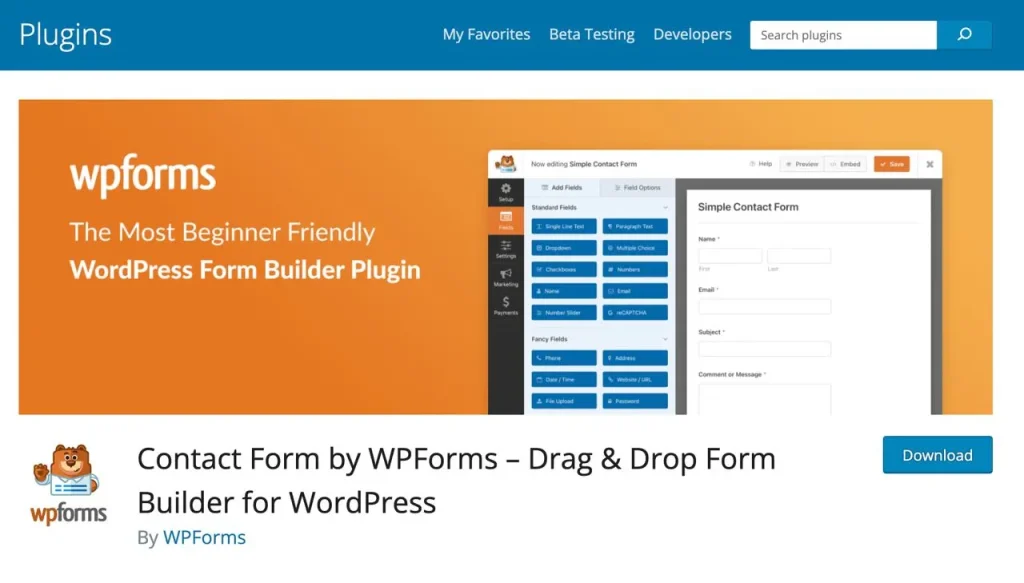
WPForms is a powerful and user-friendly WordPress form plugin that allows you to easily create and manage forms on your site. With its drag-and-drop form builder, pre-built templates, and extensive customization options, WPForms is a must-have plugin for WordPress users looking to add forms to their site.
Pros
- Easy to use: WPForms’ drag-and-drop form builder makes it incredibly easy to create custom forms, even for users with little to no technical experience.
- Pre-built templates: WPForms comes with a wide range of pre-built form templates, including contact forms, registration forms, survey forms, and more, which can save you time and effort when creating new forms.
- Extensive customization options: WPForms offers a wide range of customization options, allowing you to fully control the look and feel of your forms, as well as add custom fields and functionality.
- Integrations: WPForms integrates with a wide range of third-party services and plugins, including email marketing platforms, payment gateways, and more, making it easy to extend its functionality and streamline your workflows.
- Excellent customer support: WPForms offers excellent customer support, with a knowledgeable and responsive team that is always ready to help users with any issues or questions they may have.
Cons
- Limited free version: While WPForms does offer a free version, it is somewhat limited in terms of features and functionality compared to the paid version.
- Higher pricing: WPForms’ pricing is somewhat higher than some other WordPress form plugins, which may be a barrier for some users, particularly those on a tight budget.
- May be overkill for simple forms: If you only need to create simple forms, such as a basic contact form, WPForms may be overkill in terms of features and functionality.
Overview
WPForms is a powerful and user-friendly WordPress form plugin that offers a wide range of features and customization options, making it a great choice for website owners looking to add forms to their site. With its drag-and-drop form builder, pre-built templates, and extensive integrations, WPForms is one of the highly-rated WordPress plugins for form creation and management.
While WPForms’ pricing may be somewhat higher than some other WordPress form plugins, its powerful features, excellent customer support, and user-friendly interface make it a worthwhile investment. And while the free version may be somewhat limited in terms of features, it still offers a great starting point for users who are new to form creation.
WooCommerce is a popular e-commerce plugin for WordPress that allows you to turn your website into a fully-functional online store. With its extensive features, customization options, and ease of use, WooCommerce is a must-have plugin for anyone looking to sell products or services online.

Pros
- Free to use: WooCommerce is a free plugin, making it accessible to anyone with a WordPress website.
- Extensive features: WooCommerce comes with a wide range of features out of the box, including inventory management, shipping options, tax calculations, and more.
- Highly customizable: WooCommerce is highly customizable, allowing you to tailor your online store to your specific needs and preferences.
- Large community: WooCommerce has a large community of users and developers, which means you can easily find support, extensions, and themes to enhance your store’s functionality and appearance.
- Integrates with WordPress: Since WooCommerce is a WordPress plugin, it integrates seamlessly with your existing WordPress site, making it easy to manage your store alongside your other content.
Cons
- Can be complex: While WooCommerce is user-friendly, it can be complex for beginners, particularly those with limited technical expertise.
- Requires additional plugins: To fully customize your WooCommerce store, you may need to install additional plugins, which can increase the complexity and cost of your setup.
- Performance issues: If not optimized properly, WooCommerce can cause performance issues on your website, particularly if you have a large number of products or high traffic volumes.
Overview
WooCommerce is a powerful and flexible e-commerce plugin for WordPress that allows you to easily create and manage an online store. With its extensive features, customization options, and large community of users and developers, WooCommerce is one of the best WordPress plugins for anyone looking to sell products or services online.
While WooCommerce can be complex for beginners and may require additional plugins to fully customize your store, its seamless integration with WordPress and extensive functionality make it a popular choice among online retailers. And with a wide range of extensions and themes available, you can easily enhance your store’s capabilities and appearance to meet your specific needs.
WP Shopify is a powerful plugin that allows you to easily integrate your Shopify store with your WordPress website. With its seamless integration and user-friendly interface, WP Shopify is a must-have plugin for anyone looking to create a cohesive online presence for their e-commerce business.
Pros
- Easy integration: WP Shopify makes it easy to integrate your Shopify store with your WordPress website, allowing you to manage your products, orders, and customers directly from your WordPress dashboard.
- Customizable: WP Shopify offers a range of customization options, allowing you to tailor the appearance of your Shopify products to match your WordPress theme.
- Syncs automatically: WP Shopify automatically syncs your Shopify products, orders, and customers with your WordPress website, ensuring that your data is always up-to-date.
- Supports multiple Shopify stores: If you have multiple Shopify stores, WP Shopify allows you to integrate them all with your WordPress website, making it easy to manage your entire e-commerce operation from one place.
Cons
- Requires Shopify subscription: To use WP Shopify, you must have a Shopify subscription, which can be costly for some users.
- Limited functionality: While WP Shopify offers a range of features, it may not have all the functionality of a standalone e-commerce plugin like WooCommerce.
- Dependence on Shopify: If Shopify experiences downtime or other issues, it can affect the functionality of your WP Shopify integration.
Overview
WP Shopify is a powerful plugin that makes it easy to integrate your Shopify store with your WordPress website. With its user-friendly interface, customization options, and automatic syncing, WP Shopify is one of the best WordPress plugins for anyone looking to create a seamless online presence for their e-commerce business.
While WP Shopify does require a Shopify subscription and may have limited functionality compared to standalone e-commerce plugins, its ease of use and powerful integration features make it a popular choice among online retailers. Overall, if you’re looking to integrate your Shopify store with your WordPress website, WP Shopify is definitely worth considering.
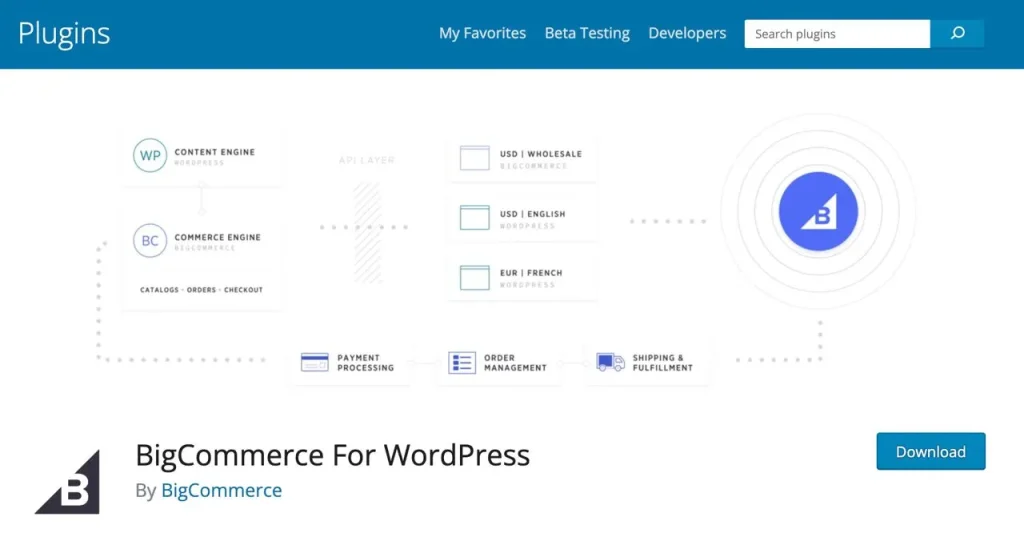
BigCommerce is a powerful e-commerce platform that can be easily integrated with your WordPress website using the BigCommerce for WordPress plugin. With its extensive features, customization options, and scalability, BigCommerce is a great choice for businesses looking to create a robust online store.
Pros
- Scalability: BigCommerce is designed to handle large volumes of traffic and sales, making it a great choice for businesses looking to scale their online store.
- Extensive features: BigCommerce comes with a wide range of built-in features, including multi-currency support, tax calculations, and advanced shipping options.
- Customizable: BigCommerce offers a range of customization options, allowing you to tailor your online store to your specific needs and preferences.
- Secure: BigCommerce is known for its robust security features, ensuring that your customers’ data is always protected.
- Integrates with WordPress: With the BigCommerce for WordPress plugin, you can easily integrate your BigCommerce store with your existing WordPress site, allowing you to manage your products and orders directly from your WordPress dashboard.
Cons
- Can be expensive: BigCommerce pricing can be higher than some other e-commerce platforms, particularly for businesses with high sales volumes.
- Learning curve: While BigCommerce is user-friendly, it can take some time to learn all of its features and functionalities.
- Limited free themes: BigCommerce offers a limited selection of free themes, which may not be suitable for all businesses.
Overview
BigCommerce is a powerful e-commerce platform that offers extensive features, customization options, and scalability for businesses looking to create a robust online store. With its easy integration with WordPress through the BigCommerce for WordPress plugin, businesses can manage their online store directly from their WordPress dashboard.
While BigCommerce pricing can be higher than some other e-commerce platforms and there may be a learning curve to fully utilize its features, its scalability, security, and extensive functionality make it a great choice for businesses looking to grow their online presence. Overall, if you’re looking for a powerful e-commerce solution that can be easily integrated with your WordPress site, BigCommerce is definitely worth considering.
Ecwid is a user-friendly e-commerce platform that can be easily integrated with your WordPress website using the Ecwid Ecommerce Shopping Cart plugin. With its intuitive interface, extensive features, and affordable pricing, Ecwid is a popular choice for businesses looking to create an online store without the need for extensive technical knowledge.

Pros
- Easy to use: Ecwid is designed with user-friendliness in mind, making it easy for businesses to set up and manage their online store without needing extensive technical skills.
- Affordable: Ecwid offers a range of affordable pricing plans, including a free plan that allows businesses to sell up to 10 products.
- Customizable: Ecwid offers a range of customization options, allowing businesses to tailor their online store to their specific needs and preferences.
- Mobile-friendly: Ecwid is mobile-friendly, ensuring that your online store looks great and functions seamlessly on any device.
- Integrates with WordPress: With the Ecwid Ecommerce Shopping Cart plugin, businesses can easily integrate their Ecwid store with their existing WordPress site, allowing them to manage their products and orders directly from their WordPress dashboard.
Cons
- Limited features on free plan: While Ecwid offers a free plan, it comes with limited features compared to the paid plans.
- Transaction fees: Ecwid charges transaction fees on some of its paid plans, which can add up over time.
- Customization limitations: While Ecwid offers customization options, there may be limitations compared to other e-commerce platforms.
Overview
Ecwid is a user-friendly e-commerce platform that offers an affordable and easy way for businesses to create an online store. With its intuitive interface, customization options, and seamless integration with WordPress through the Ecwid Ecommerce Shopping Cart plugin, Ecwid is a popular choice for businesses looking to sell products online without needing extensive technical skills.
While Ecwid’s free plan comes with limited features and there may be transaction fees and customization limitations on some paid plans, its affordability and ease of use make it a great option for small businesses and startups looking to grow their online presence. Overall, if you’re looking for a simple and affordable e-commerce solution that can be easily integrated with your WordPress site, Ecwid is definitely worth considering.
Yoast SEO is a popular plugin for WordPress that helps you optimize your website for search engines. With its user-friendly interface, extensive features, and helpful tutorials, Yoast SEO is a must-have plugin for anyone looking to improve their website’s visibility and search engine rankings.

Pros
- Comprehensive SEO analysis: Provides a comprehensive SEO analysis of your website’s pages and posts, helping you identify areas for improvement.
- Customizable: Allows you to customize your website’s titles, meta descriptions, and other SEO elements to better target your audience and improve your search engine rankings.
- Keyword optimization: Helps you optimize your content for specific keywords, ensuring that your website ranks well for relevant search terms.
- Readability analysis: Provides a readability analysis of your content, helping you ensure that your website’s pages and posts are easy to read and understand.
- Integrates with other plugins: Integrates with other popular WP plugins, such as WooCommerce and Google Analytics, providing a seamless user experience.
Cons
- Can be overwhelming: Provides a lot of information and options, which can be overwhelming for beginners.
- Requires regular updates: To ensure that the plugin continues to function properly and provide accurate recommendations, it requires regular updates.
- May slow down website: Some users have reported that Yoast can slow down their website.
Overview
Yoast SEO is a comprehensive WordPress plugin that helps you optimize your website for search engines. With its user-friendly interface, extensive features, and helpful tutorials, that is a popular choice for businesses and bloggers looking to improve their website’s visibility and search engine rankings.
While Yoast can be overwhelming for beginners and may require regular updates, its customization options, keyword optimization, and readability analysis make it a valuable tool for anyone looking to grow their online presence. Overall, if you’re looking for a powerful SEO plugin that can help you improve your website’s search engine rankings and attract more organic traffic, Yoast SEO is definitely worth considering.